
Daily dose reminders
Give a potion one or more times. It reminds you every day, offline, with the reminder content written for that potion.
Features
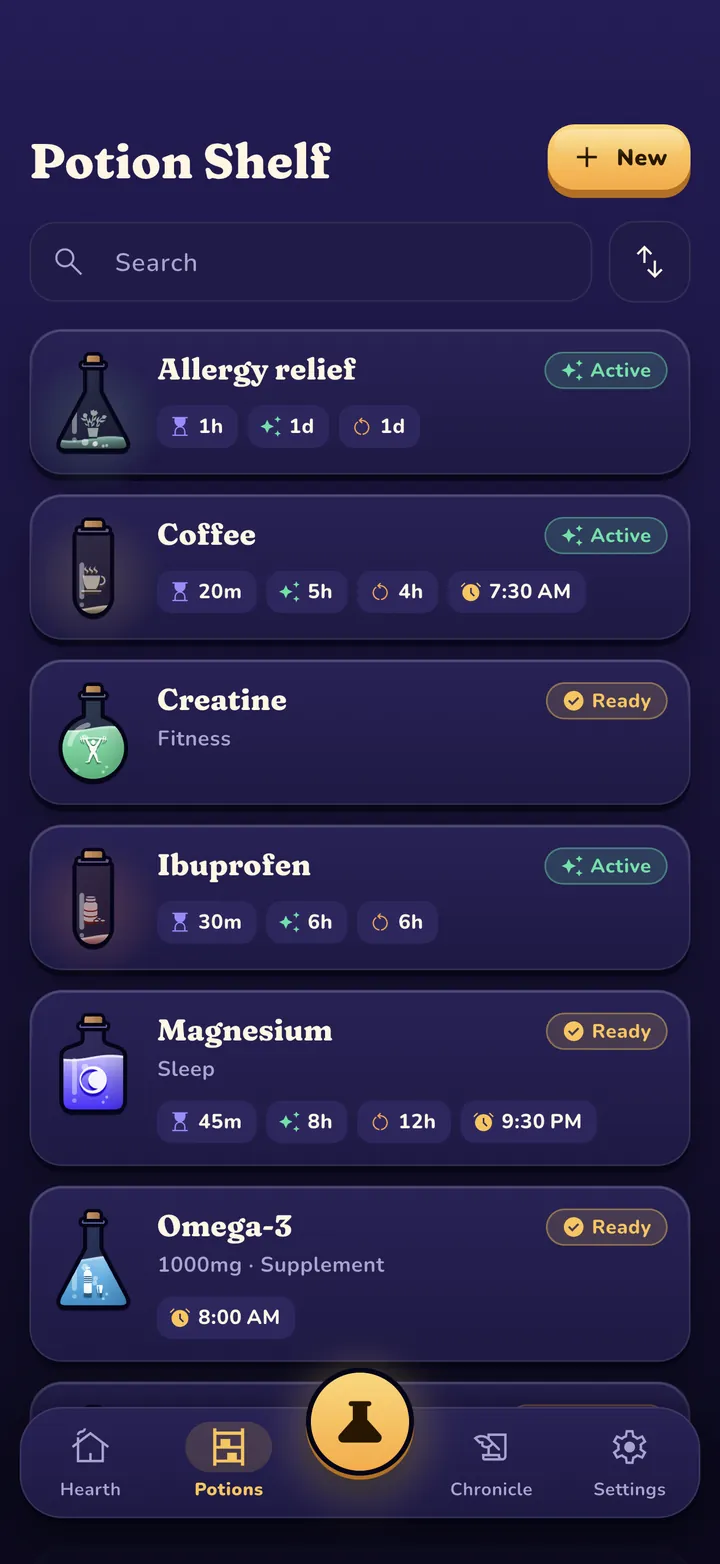
Everything in Potionkeep exists to answer three questions at a glance: did I take it, is it working, and when can I take more. The game layer is there to make you want to open it.
Free, forever
No trial, no limits on potions or reminders, no ads. These stay free.
Give a potion one or more times. It reminds you every day, offline, with the reminder content written for that potion.
Every scheduled dose shows up as a quest on the home screen. Due quests glow; done quests get a check and the time you took it.
Every reminder carries a Mark as taken button. One tap and the app opens with the quest done, the timer running and the XP earned.
Missed it? If a dose isn't logged, Potionkeep pings again 30 and 60 minutes later. Logged it early? That reminder stays quiet until tomorrow.
Turn it on and your lock screen says "Time for a potion", never the name you typed. Nobody glancing at your phone learns what you take.
A card with your rank, level and streak, made on your phone and shared wherever you choose. It never shows what you take.
Set kick in, effect and redose times once. Every dose then counts down live: kicking in, active, wearing off, ready.
Forgot to log the morning dose? Set the time you actually took it. Tapped by mistake? Undo is right there.
Optional daily limits and redose waits give a gentle heads up. You always stay in charge of the final tap.
Every dose earns XP, journaling earns a bonus. Climb eight ranks from Novice Brewer to Eternal Sage.
Streaks count the days you show up. Achievements reward consistency, variety, early birds and night owls.
Arcane, Neon and Daylight. Each restyles the whole app, from fonts to vocabulary. Switch any time.
A private day by day log of every dose with the XP it earned, plus optional ratings and notes.
Export everything to a single file and import it on a new phone. It goes wherever you send it and nowhere else.
English, Español, Português, Français, Deutsch, Italiano, Nederlands, Polski, Türkçe, Bahasa Indonesia, Русский, 日本語 and 한국어.
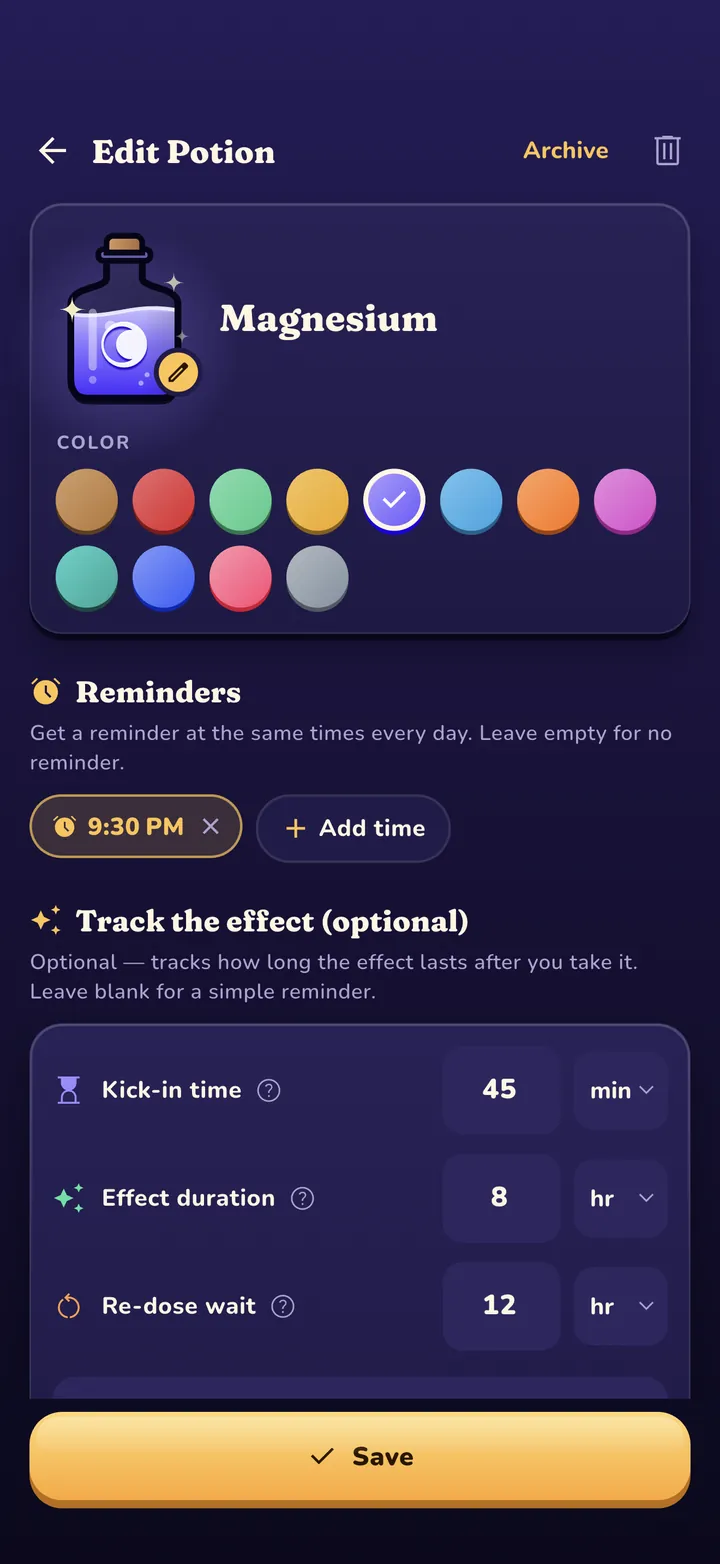
Brewing a potion
Start from a one tap template (coffee, tea, medication, vitamins, water) or from scratch. Pick a bottle color and a glyph, add reminder times, and you are done.
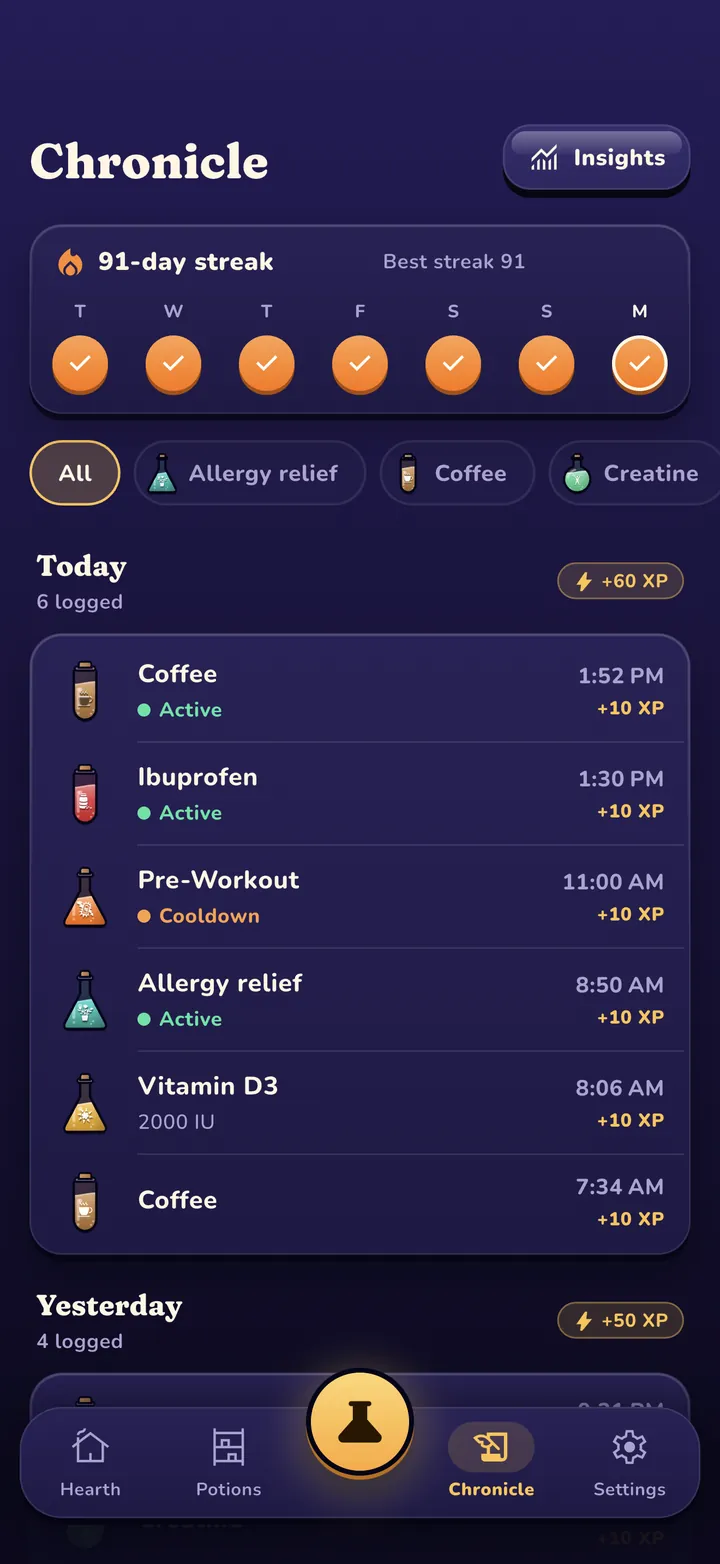
History
The Chronicle groups your doses by day with a week strip on top, filters by potion, and lets you fix a time or delete a mistaken entry. Your history never changes when you edit a potion later.
Potionkeep Pro · $0.99 once
One small unlock that is yours forever, on every phone signed in to the same store account. It funds an indie app with no ads and no data business.
Turn a reminder into a ringing, time sensitive alert with one of three bundled tones.
Home and lock screen widgets show what is active and what is next, in your skin. (iPhone)
A live countdown on the lock screen and in the Dynamic Island while a dose is working. (iPhone)
Doses per week, a 12 week heatmap, most used potions, typical time of day and per potion trends.
A clean, color coded report of your potions and 90 day log, made on the phone, shared only by you.
Face ID, Touch ID or your device passcode before the app opens, with a privacy shield in the app switcher.
FAQ
Yes. Each potion can have as many daily reminder times as you need, and each time becomes its own quest on the home screen. Reminders repeat every day and work offline.
Yes. Every dose reminder carries a Mark as taken action. Tap it and Potionkeep opens with the dose logged, the quest completed and its timer running. If the dose would land inside your own redose window or over your daily limit, the app opens so you can confirm.
No. A name and a reminder time is a complete potion. The kick in, effect and redose timings are optional; add them when you want the live timer to show what is working and when you can take more.
No. Every value is one you type in yourself. There is no drug database and no dosing, interaction or safety advice. Potionkeep is a personal tracking tool, not medical advice.
Unlimited potions and reminders, daily quests, Mark as taken, live dose timers, XP, ranks, streaks, achievements, the full history, backup and all three skins. Pro ($0.99 once) adds ringing alarms, widgets, Live Activities, insights, a PDF report and app lock.
Free on iPhone and Android. No account, no ads, no subscription.